

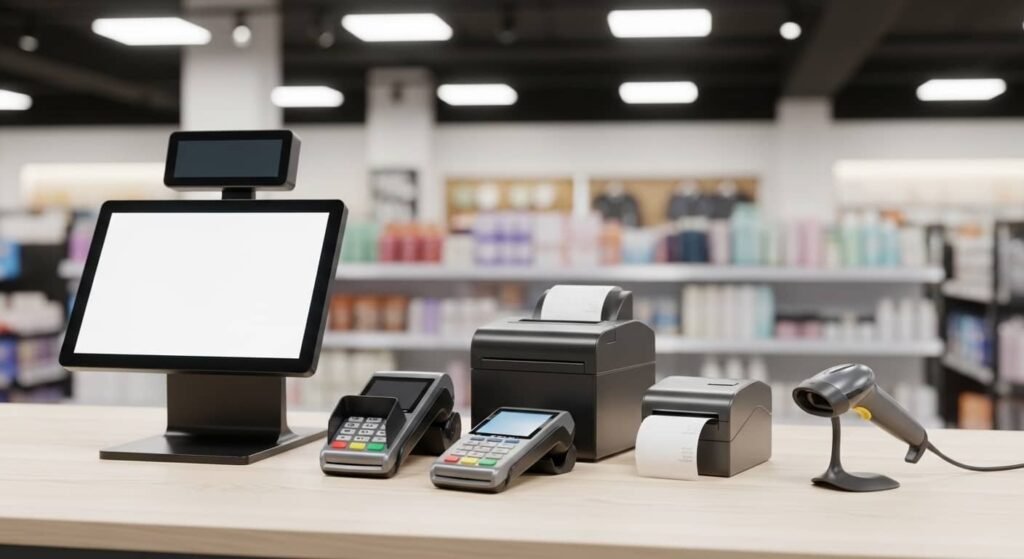
Finding the best POS system for small business doesn’t have to be complicated — but making the wrong choice can cost you time, money, and customers. Whether you run a retail boutique in Manhattan, a café in Austin, a pharmacy in Chicago, or a multi-location franchise in Los Angeles, the right point of sale system is the backbone of your daily operations. At MRS Local SEO, we help small business owners across the United States discover, evaluate, and implement POS solutions that are built for real-world growth.
This complete buying guide covers everything you need — from what a POS system actually is, to how it works, what it costs, and which one is right for your business in 2026.
Meaning of Point of Sale
The point of sale (POS) is the exact moment and location where a customer completes a purchase. It’s where money changes hands — whether that’s cash, a debit card, a credit card, or a digital payment like Apple Pay or Google Pay.
In modern business, “point of sale” refers to the full system that processes that transaction. A POS system combines hardware and software to manage payments, track inventory, generate receipts, and collect customer data — all in real time.
The phrase “what does point of sale mean?” is one of the most searched questions by new business owners, and the answer is simple: it’s your checkout system, your cash register replacement, and your business intelligence hub — all in one.
MRS Local SEO works with small businesses from New York City to San Francisco, helping them get found online when customers search for “point of sale systems near me” — and helping those businesses run smarter with the right technology.
How POS Systems Work
A POS system works by connecting your payment terminal, inventory database, and reporting dashboard into a single, seamless workflow. Here’s the basic process:
- A customer selects products or services.
- The cashier or staff member scans items using a barcode scanner integration or enters them manually.
- The system calculates the total, including tax calculation automatically.
- The customer pays via cash, debit & credit card payments, or digital payments.
- A receipt is generated via receipt printing or sent digitally.
- The system instantly updates your inventory management and sales tracking records.
- All transaction data feeds into your real-time reporting dashboard.
This entire process can take under 30 seconds — and every step creates valuable data that helps you run a smarter, more profitable business.
Retail POS System
A POS system for retail is designed to handle high-volume product transactions, multi-SKU inventories, and customer loyalty programs. Retail businesses in cities like Los Angeles, Chicago, Dallas, and Seattle rely on retail POS systems to manage stock management, process returns, run promotions, and track which products sell best.
Retail POS systems typically include barcode scanner integration, multi-department categorization, customer data management, and CRM integration — giving store owners a full picture of buying behavior.
Restaurant POS System
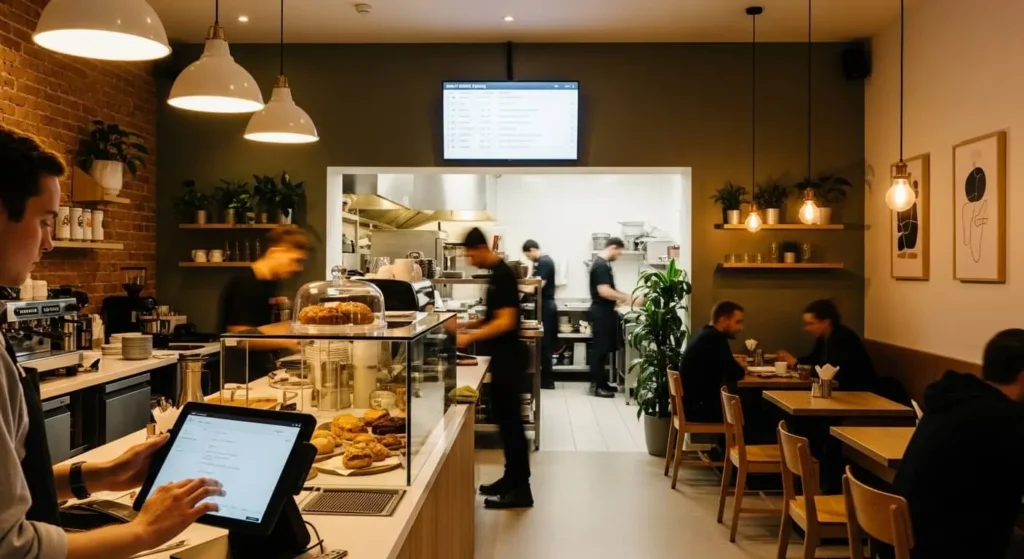
A POS system for restaurant operations must handle the unique demands of food service — table management, split billing, kitchen display systems (KDS), and tipping. Whether you operate a quick-service café in Boston, a full-service restaurant in Miami, or a food truck in Portland, a restaurant POS system keeps your front-of-house and back-of-house in sync.
Restaurant POS features typically include menu customization, order routing, modifier management, online ordering integration, and business analytics that show your highest-margin dishes and peak hours.
Mobile POS (mPOS)
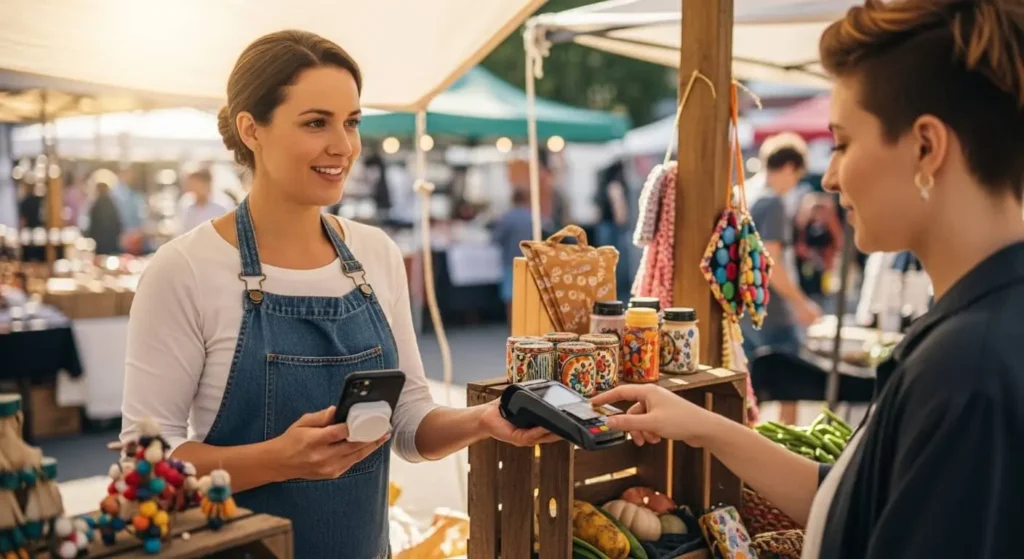
A mobile POS system (mPOS) turns a smartphone or tablet into a fully functional checkout terminal. It’s ideal for pop-up shops, farmers markets, delivery drivers, salons, and service businesses in cities like Las Vegas, Denver, Boulder, and Scottsdale.
Mobile POS solutions offer the same core functionality as traditional systems — payment processing, receipts, inventory updates — without requiring a fixed counter or expensive hardware setup.
Cloud-Based POS
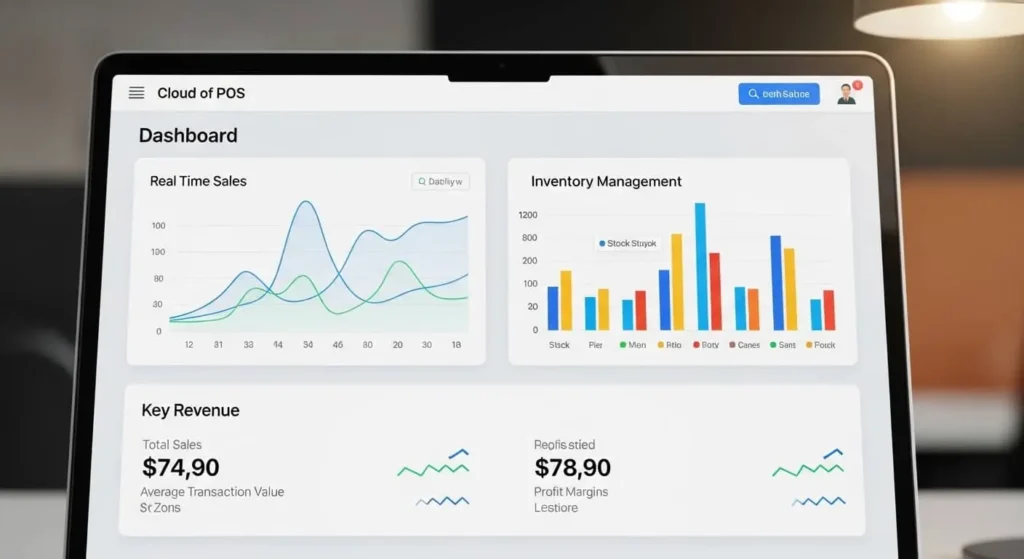
A cloud POS system stores all your data securely online rather than on a local server. This means you can access your real-time reporting, sales tracking, and customer data management from any device, anywhere — whether you’re at your Brooklyn store or traveling from San Diego to Washington DC.
Cloud-based systems are especially popular with multi-location support needs — franchise owners, boutique chains, and businesses expanding from cities like Newark to Orange County benefit most from this architecture.
Key Features of a Modern POS System
When evaluating any POS system, these are the core features every small business owner should prioritize:
Inventory Management Automatically track stock levels, receive low-stock alerts, and manage product variants (size, color, style) in real time. This is essential for retail shops, pharmacies, and grocery stores.
Sales Tracking & Business Analytics Know exactly what’s selling, when, and to whom. Modern business analytics dashboards show revenue trends, hourly sales data, best-selling products, and seasonal patterns.
Payment Processing Accept all payment types — cash, debit & credit card payments, contactless NFC, mobile wallets, and even buy-now-pay-later options. A reliable smart payment solution reduces checkout friction and increases conversion.
CRM Integration Capture customer contact info, purchase history, and loyalty points at every transaction. CRM integration helps you build relationships, run targeted promotions, and increase repeat visits.
Real-Time Reporting Access your numbers the moment they happen. Real-time dashboards eliminate end-of-day guesswork and give you actionable insights on demand.
Receipt Printing & Digital Receipts Offer customers printed or emailed receipts — a small feature that significantly improves the customer experience and supports returns management.
Tax Calculation Automatically apply the correct sales tax based on location, product category, and customer type — critical for businesses operating across multiple states or cities.
Multi-Location Support Manage inventory, staff, sales, and reporting across all your locations from one central dashboard. Essential for franchise businesses and growing retail chains.
Barcode Scanner Integration Speed up checkout, reduce human error, and simplify receiving with barcode and QR code scanning capabilities.
Employee Management Track staff clock-ins, assign roles and permissions, monitor individual sales performance, and manage shift schedules directly within your POS software.
Benefits of Using a POS System for Small Business
Upgrading from a manual cash register or basic card reader to a full point of sale system delivers measurable benefits almost immediately:
1. Faster Checkout An automated checkout system reduces wait times, minimizes errors, and improves the customer experience — especially during peak hours.
2. Accurate Inventory at All Times Stop manually counting stock. Your POS updates inventory with every sale, return, and restock — giving you accurate numbers 24/7.
3. Better Business Decisions With business management software built into your POS, you can make data-driven decisions about purchasing, staffing, pricing, and promotions.
4. Reduced Shrinkage & Loss Track every transaction down to the line item. Discrepancies in your transaction management system alert you to potential theft, errors, or pricing issues.
5. Improved Customer Experience Fast, accurate, and flexible checkout — including digital payments and loyalty rewards — keeps customers coming back.
6. Simplified Tax & Compliance Automatic tax calculation reduces the risk of errors during filing and makes audit preparation far less stressful.
7. Scalability Whether you’re a solo boutique owner in Irvine or a growing franchise expanding from Houston to Atlanta, your POS grows with you.
8. Integration with E-Commerce For hybrid sellers — businesses with both a physical and online storefront — modern POS software syncs inventory and orders across both channels automatically.
POS System Pricing Guide (Cost Breakdown)
One of the most common questions we hear at MRS Local SEO is: “How much does a point of sale system cost?” The answer depends on your business type, size, and feature requirements. Here’s a clear breakdown:
Software Cost
Most modern POS software operates on a subscription model. Expect to pay:
- Free tier: Limited features, suitable for micro-businesses or startups (Square, for example)
- Basic plans: $29–$69/month — covers most small retail or food service needs
- Advanced plans: $99–$299/month — includes multi-location support, advanced analytics, CRM integration
- Enterprise plans: Custom pricing for franchise or large multi-location businesses
Hardware Cost
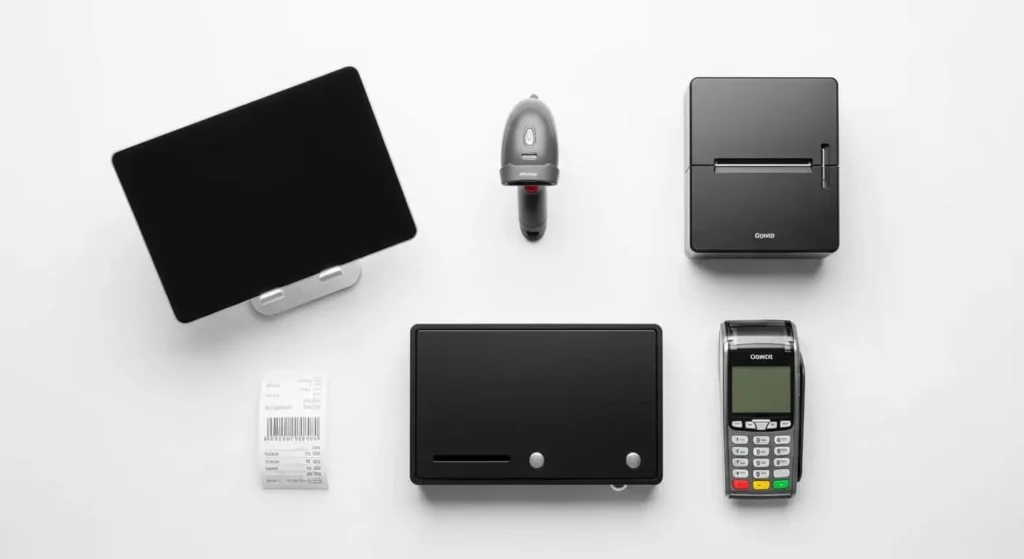
POS hardware and software bundles vary based on your setup. Typical hardware costs include:
| Hardware Item | Estimated Cost |
|---|---|
| Tablet/iPad POS Stand | $100–$300 |
| Receipt Printer | $150–$400 |
| Barcode Scanner | $50–$200 |
| Cash Drawer | $50–$150 |
| Card Reader / Payment Terminal | $49–$399 |
| Complete POS Bundle | $500–$2,000+ |
Monthly Subscription
When budgeting for a POS system, factor in your total monthly cost:
- Software subscription fee
- Payment processing fees (typically 2.5%–2.9% + $0.10–$0.30 per transaction)
- Hardware lease (if applicable)
- Support & maintenance contract
Most small businesses spend between $50 and $150/month in total POS operating costs — a fraction of the value delivered through better inventory control, faster checkout, and improved reporting.
How to Choose the Right POS System
Choosing the right POS system for small business requires you to think through your specific operational needs. Here’s a proven framework:
Step 1 – Define Your Business Type Are you in retail, food service, services, or e-commerce? Your industry determines which features matter most.
Step 2 – Identify Your Volume How many transactions do you process daily? High-volume businesses need faster, more robust hardware. Low-volume startups can often begin with a mobile POS system.
Step 3 – List Your Must-Have Features Prioritize: inventory management, CRM, multi-location, kitchen display, online ordering integration, or employee management?
Step 4 – Set Your Budget Review the pricing breakdown above and determine your comfortable monthly spend — including software, hardware, and processing fees.
Step 5 – Evaluate Integration Needs Does the POS need to connect with your accounting software, e-commerce platform, loyalty program, or marketing tools?
Step 6 – Check Customer Support Look for vendors who offer 24/7 support, onsite training, and dedicated account management — especially important for businesses in fast-moving markets like New York City, Los Angeles, and Chicago.
Step 7 – Request a Demo Never commit to a POS without a live demo. Most providers offer free trials. Use this time to test your real-world workflows.
Best POS Systems in 2026 (Comparison Section)
Here’s how the leading POS system examples compare for small business use in 2026:
| POS System | Best For | Starting Price | Standout Feature |
|---|---|---|---|
| Square POS | Startups, mobile sellers | Free + processing | Free forever plan, mPOS |
| Shopify POS | E-commerce + retail hybrid | $29/month | Seamless online-offline sync |
| Toast POS | Restaurants & cafés | $0–$165/month | Restaurant-specific features |
| Clover POS | Retail & service businesses | $14.95/month | Hardware flexibility |
| Lightspeed POS | Multi-location retail | $89/month | Advanced inventory management |
| Revel Systems | Franchise & enterprise | Custom | Deep customization |
| PayPal Zettle | Small & mobile businesses | Free | Low-cost card reader |
| Helcim POS | Cost-conscious businesses | Free software | Interchange-plus pricing |
Note: Pricing and features change frequently. Always verify current POS system pricing directly with providers before committing.
POS System vs Cash Register (Comparison)
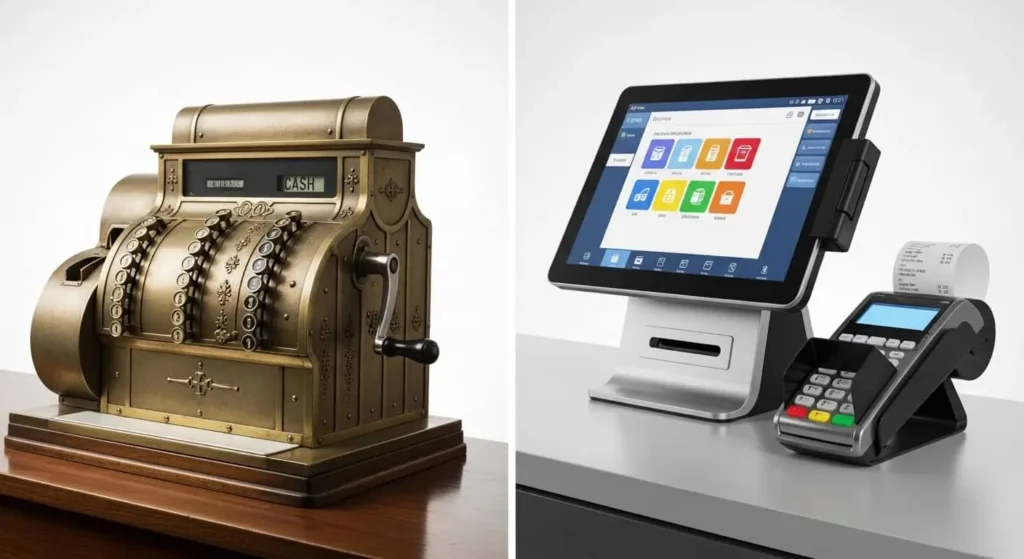
Many small business owners still ask: “Do I really need a POS system, or will a cash register do?” Here’s a direct comparison:
| Feature | Cash Register | POS System |
|---|---|---|
| Payment Types | Cash only or basic card | All payment types including digital |
| Inventory Tracking | None | Real-time, automatic |
| Sales Reports | None | Detailed, real-time analytics |
| Customer Data | None | Full CRM integration |
| Tax Calculation | Manual | Automatic |
| Multi-Location | Not supported | Full multi-location support |
| Employee Management | None | Built-in |
| Cloud Access | No | Yes |
| Cost | $100–$500 one-time | $50–$300/month |
The verdict is clear: a cash register alternative like a modern POS system delivers exponentially more value for any business that’s serious about growth. A cash register records a sale. A point of purchase system runs your entire business.
Who Needs a POS System?
If you accept payments from customers — you need a POS system. More specifically:
- Retail shop owners in cities like Los Angeles, Dallas, and Brooklyn need robust inventory and sales tracking
- Restaurant & café owners in Miami, Chicago, and Seattle need table management and kitchen display integration
- Grocery store owners need high-speed barcode scanning and real-time stock management
- Pharmacy owners need prescription tracking and compliance features
- Boutique & clothing store owners need SKU management, size/color variants, and loyalty programs
- Salon & spa owners need appointment booking integration and service-based billing
- Startup founders in San Francisco, Austin, and Palo Alto need affordable, scalable systems that grow with them
- Franchise businesses across multiple cities need centralized reporting and multi-location support
- E-commerce + physical store hybrid sellers need real-time inventory sync across both channels
If your business fits any of these categories — and your business is located anywhere from Sacramento to Washington DC, from Tysons Corner to Tampa — MRS Local SEO can help you find the right POS solution and make sure you’re visible online when local customers search for you.
Final Buying Checklist
Before you invest in any point of sale system, run through this checklist:
- ✅ Does it support all payment types I need (cash, card, digital payments)?
- ✅ Does it include real-time inventory management?
- ✅ Does it offer sales tracking and business analytics dashboards?
- ✅ Is there a mobile POS option for flexibility?
- ✅ Does it support multi-location if I plan to expand?
- ✅ Is the POS software customizable for my industry?
- ✅ Is customer support available 24/7?
- ✅ Does it integrate with my existing tools (accounting, e-commerce, CRM)?
- ✅ Is pricing transparent with no hidden processing fees?
- ✅ Does the vendor offer POS system installation services, POS training services, and POS support and maintenance?
Once you check all these boxes — you’re ready to invest with confidence.
Running a small business in today’s digital-first economy means more than just accepting payments — it means owning your digital presence too. Partnering with a results-driven internet marketing agency like Top Branding Altimeter gives your business the visibility it deserves. From SEO and web design to branding and social media, Top Branding Altimeter delivers end-to-end digital growth strategies that put local businesses on the map — literally and digitally.
Frequently Asked Questions (FAQs)
What is the best POS system for a small business?
The best POS system for a small business depends on your industry, transaction volume, and budget. Square is widely recommended for startups due to its free plan. Shopify POS is ideal for hybrid e-commerce and retail sellers. Toast is the top choice for restaurants. Lightspeed suits multi-location retail businesses. For personalized guidance, MRS Local SEO helps small business owners across the U.S. identify and implement the right POS solution for their specific needs.
What is a point of sale system?
A point of sale system is a combination of hardware and software that processes customer transactions, manages inventory, tracks sales data, and generates business reports. It replaces the traditional cash register with a fully integrated store management software and billing software solution.
What are points of sale?
“Points of sale” refers to the multiple locations or moments where customer transactions take place within a business. For a retailer with multiple checkout lanes — or a restaurant with tableside ordering — each checkout station represents a point of sale.
What is a point of sale transaction?
A point of sale transaction is any completed exchange between a customer and a business — whether that’s purchasing a product in-store, paying a service invoice, or completing a contactless payment via mobile wallet. Every transaction is recorded in your transaction management system for reporting and inventory purposes.
What is point of sale in airlines?
In the airline industry, point of sale refers to where tickets, upgrades, baggage fees, or ancillary services are purchased. This can be at an airport counter, online booking platform, or via a travel agent’s booking system. The principles of payment processing, real-time reporting, and customer data management apply equally in aviation as in retail.
What does point of sale mean?
Point of sale means the specific location and moment at which a retail transaction is completed between a buyer and a seller. In the context of business technology, it refers to the integrated system — POS hardware and software — that facilitates, records, and manages that transaction.
What is point of sale systems for restaurants?
A restaurant POS system is a specialized platform that handles orders, table management, kitchen ticket routing, tipping, split checks, and food-cost reporting. Leading restaurant POS platforms include Toast, TouchBistro, and Lightspeed Restaurant — all designed to manage the fast-paced, high-complexity demands of food service operations.
What is point of sale experience?
Point of sale experience refers to the customer’s overall interaction with your checkout process — from how quickly items are rung up, to payment flexibility, receipt options, and staff professionalism. A smooth, modern POS experience using a smart payment solution builds customer loyalty and increases the likelihood of return visits.
What is retail point of sale?
Retail point of sale refers to POS systems specifically designed for product-based businesses — stores, boutiques, pharmacies, grocery shops, and similar operations. A retail management system includes features like barcode scanning, SKU management, promotional pricing, stock alerts, and customer loyalty programs.
How does a point of sale system work?
A POS system works by connecting your sales floor to a central database. When a customer checks out, the system scans items, calculates the total with taxes, processes the payment, prints or emails a receipt, and automatically updates inventory and sales records — all within seconds.
How much does a point of sale system cost?
POS system costs range from free (Square’s basic plan) to $300+/month for advanced enterprise solutions. Hardware costs range from $500 to $2,000 for a complete setup. Most small businesses budget $50–$150/month total, including software, hardware lease, and payment processing fees.
How to use a point of sale system?
Using a POS system is straightforward: log in with your credentials, open a new transaction, scan or add products, select a payment method, process the payment, and issue a receipt. Most modern POS systems offer intuitive touchscreen interfaces with minimal training required. Vendors typically provide POS training services during onboarding.
What is a point of sale purchase?
A point of sale purchase is any transaction completed at the moment of sale — in-store, at a mobile terminal, or at a self-checkout kiosk. It is distinct from online or pre-ordered purchases in that the payment is initiated and completed at the physical or digital checkout point.
How does the point of sale system work?
The POS system works through an integrated loop: the customer initiates a purchase → the system scans and prices items → payment is processed through the terminal → the checkout system confirms the transaction → inventory is updated → data is recorded in your reporting dashboard → you gain real-time insight into every sale made in your business.
How does point of sale work?
Point of sale works by combining hardware (terminal, scanner, printer) with cloud or on-premise software to create a seamless transaction experience. The system captures every sale, tracks every product, and stores every piece of customer data — turning your checkout counter into a powerful business management software hub.
MRS Local SEO helps small business owners across the United States — from New York City and Los Angeles to Denver, Atlanta, and beyond — get discovered online with high-performance local SEO strategies. Visit mrslocalseo.online to learn how we can put your business on the map.
For businesses looking to elevate their digital brand alongside their local visibility, explore the complete suite of growth services at Top Branding Altimeter — a trusted internet marketing agency helping businesses thrive in competitive local and national markets.
#POSSystem #PointOfSale #SmallBusiness #POSSystemForSmallBusiness #BestPOSSystem
Tags:
- barcode scanner integration
- best pos system for small business
- best pos system usa
- billing software
- cloud pos system
- inventory management system
- mobile pos system
- payment processing
- point of sale system
- pos hardware and software
- pos machine price
- pos software
- pos system 2026
- pos system benefits
- pos system comparison
- pos system features
- pos system for restaurant
- pos system for retail
- pos system installation services
- pos system near me
- pos system pricing
- real-time reporting
- retail management system
- small business technology
- store management software